Search
What is Zero Trust Network Security?
3 min. read
The abrupt shift to remote work spurred by the COVID-19 pandemic is evolving toward a permanently hybrid workforce, and the applications powering business outcomes are increasingly in the cloud. The business world is at an inflection point where users access data from where they are – working from anywhere to stay productive. In an increasingly digital world, organizations are exploring new, more robust ways to protect their business against emerging threats, including Zero Trust Network Security.
Zero Trust Network Security is one element of Zero Trust, a strategic approach to cybersecurity that secures an organization’s data, assets, and people by continuously validating every digital interaction.
As the name suggests, Zero Trust Network Security is the part that applies to users and devices accessing applications, data, and their security needs. Zero Trust Network Security enables business users to securely interact with any application from any device in any environment. At the heart of Zero Trust Network Security is a simple concept: The user, who may be using any device, transacts with an application, which may be anywhere.
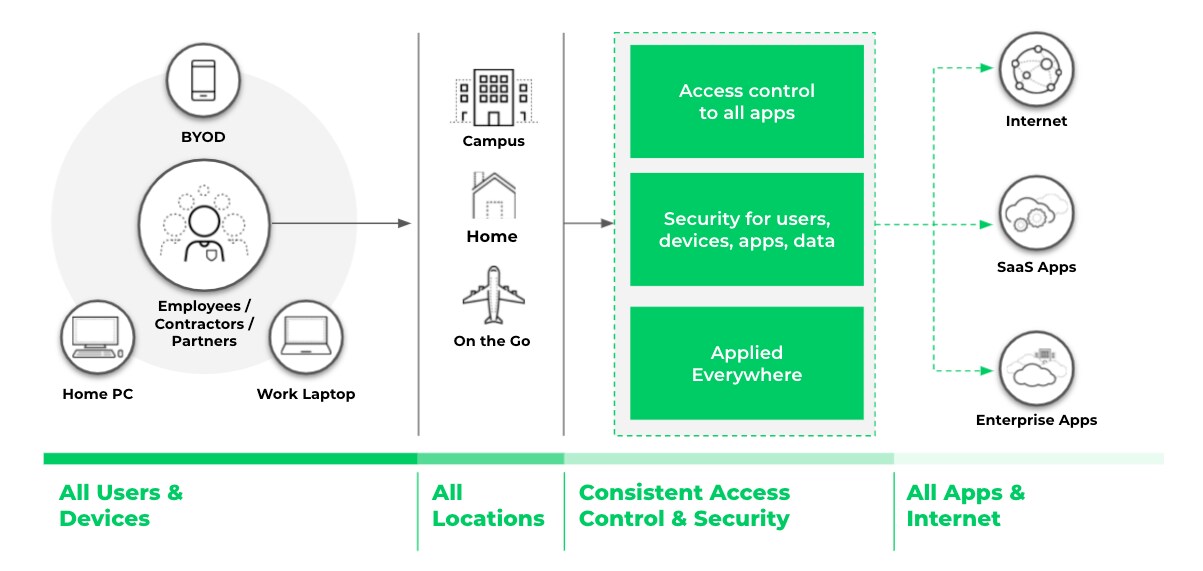
Figure 1. Zero Trust Network Security provides consistent access control and security regardless of where users, devices or applications are located.
To achieve Zero Trust Network Security, three core capabilities are required:
- Provide context-based access
- Make access safe
- Provide consistent access and security, and make it globally available
Context-Based Access
Organizations that aim to successfully achieve Zero Trust Network Security must be able to apply context-based access. This means the access to applications and data must be based on complete context that includes the user, device and application. Context includes:
- Verifying the user identity to determine who is requesting access
- Verifying the integrity of the device the user is using to request access
- Identifying the applications or resources being accessed
Context-based access must be applied to all applications no matter where they are located, whether that’s in corporate data centers, public cloud environments, SaaS or the internet at large. When every access policy decision considers the user, device and application context, organizations are better able to ensure consistent security and user experience.
Context-based access requires advanced technology, including a cloud identity engine and SaaS security. A cloud identity engine can make it easy to consistently authenticate user identity and authorize users regardless of where user identity lives – on-premises, in the cloud or a hybrid of the two. An integrated cloud access security broker (CASB) allows organizations to proactively extend secure access to all SaaS applications.
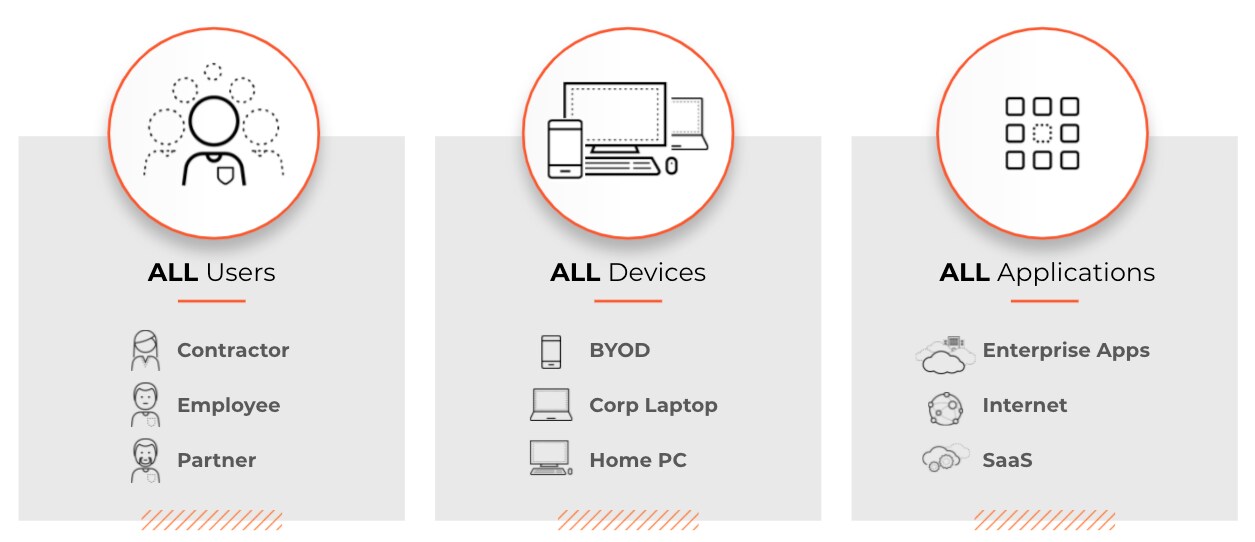
Figure 2. Every access policy decision should be made based on complete context and with verified knowledge of user identities, devices, and applications.
Safe Access
A true Zero Trust architecture not only enables access to the right applications and data but also secures that access. This means it prevents vulnerability exploits, tunneling, malware, phishing and malicious websites. To make access safe for all users, devices, apps and data, organizations must continuously examine all content to prevent malicious activity and secure enterprise data.
Zero Trust Network Security employs comprehensive security monitoring for all users, devices, apps and data to detect malicious activity across the business, IT and security infrastructure. The required technology for safe access includes Advanced URL Filtering to prevent zero-day web attacks. Safe access also requires DNS Security capabilities to prevent emerging DNS attacks (such as DNS-layer network attacks) and data exfiltration techniques (such as dangling DNS and ultra-slow tunneling), which are used to exploit networks and quietly steal data.
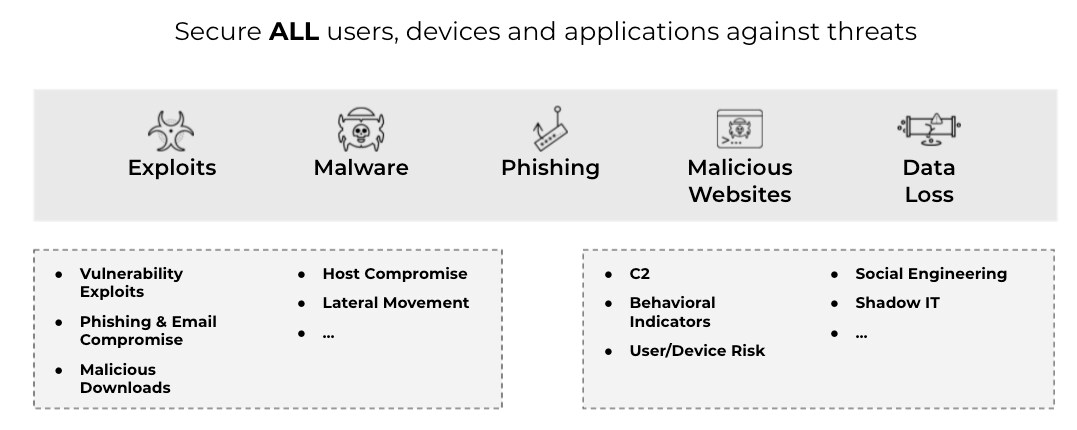
Figure 3. A true Zero Trust architecture secures all users, devices, and applications against vulnerability exploits, tunneling, malware, phishing and malicious websites.
Consistent Access and Security, Available Globally
To accomplish Zero Trust Network Security, the access and security core capabilities described above must be available everywhere users and devices live and work. Access and security must be consistent. The location of the user, device or application should not matter. This will allow all users to use any device to securely access any application they need to perform their job. This can safeguard productivity and be a powerful business enabler.
The technology needed to reach consistent access and security at a global level includes next-generation firewalls (for context-based access and security on-premises, in the cloud and remote environments) and an open, programmable and highly scalable platform.
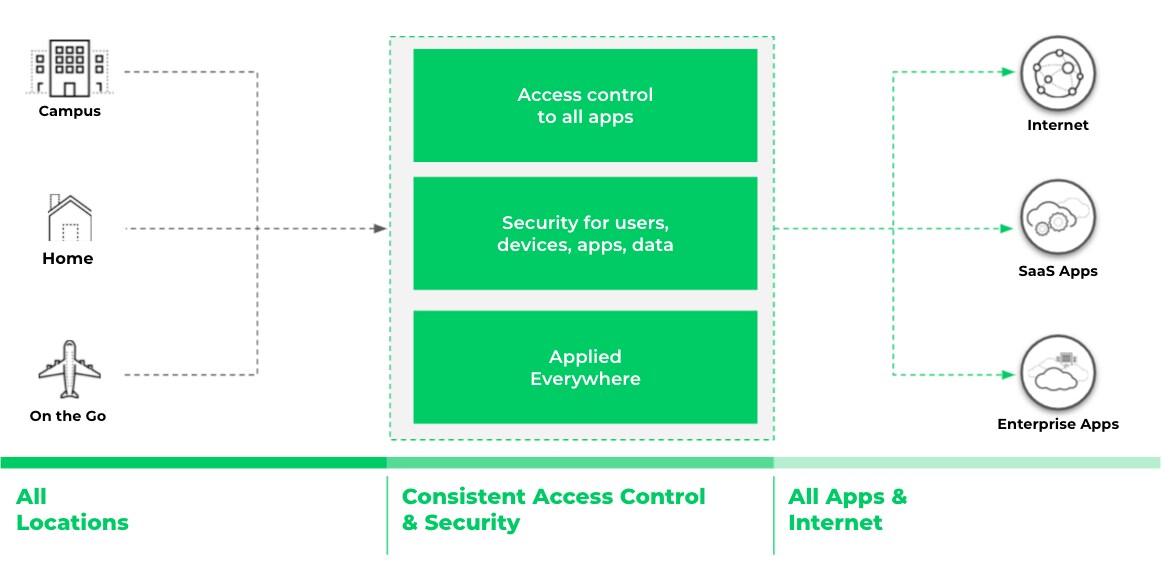
Figure 4. Access and security must be consistent and available everywhere the users and devices live and work.
As users embrace a hybrid workplace, Palo Alto Networks is uniquely positioned to deliver on the promise of Zero Trust. For your workforce that will spend all or part of their time being remote and a part of their time at the workplace, you can optimize the user experience by leveraging consistent capabilities across our cloud native service, hardware and software form factors.
Learn how Palo Alto Networks enables businesses to adopt Zero Trust across the network security stack by watching the Complete Zero Trust Network Security event series.

Start Your Zero Trust Journey
Read the latest Gartner research that guides leaders in converging networking and security with single or dual-vendor SASE to replace legacy systems
Download the roadmap


